An AI dispatcher for plumbers that sorts emergencies, checks the service area and books the job
01 — The challenge
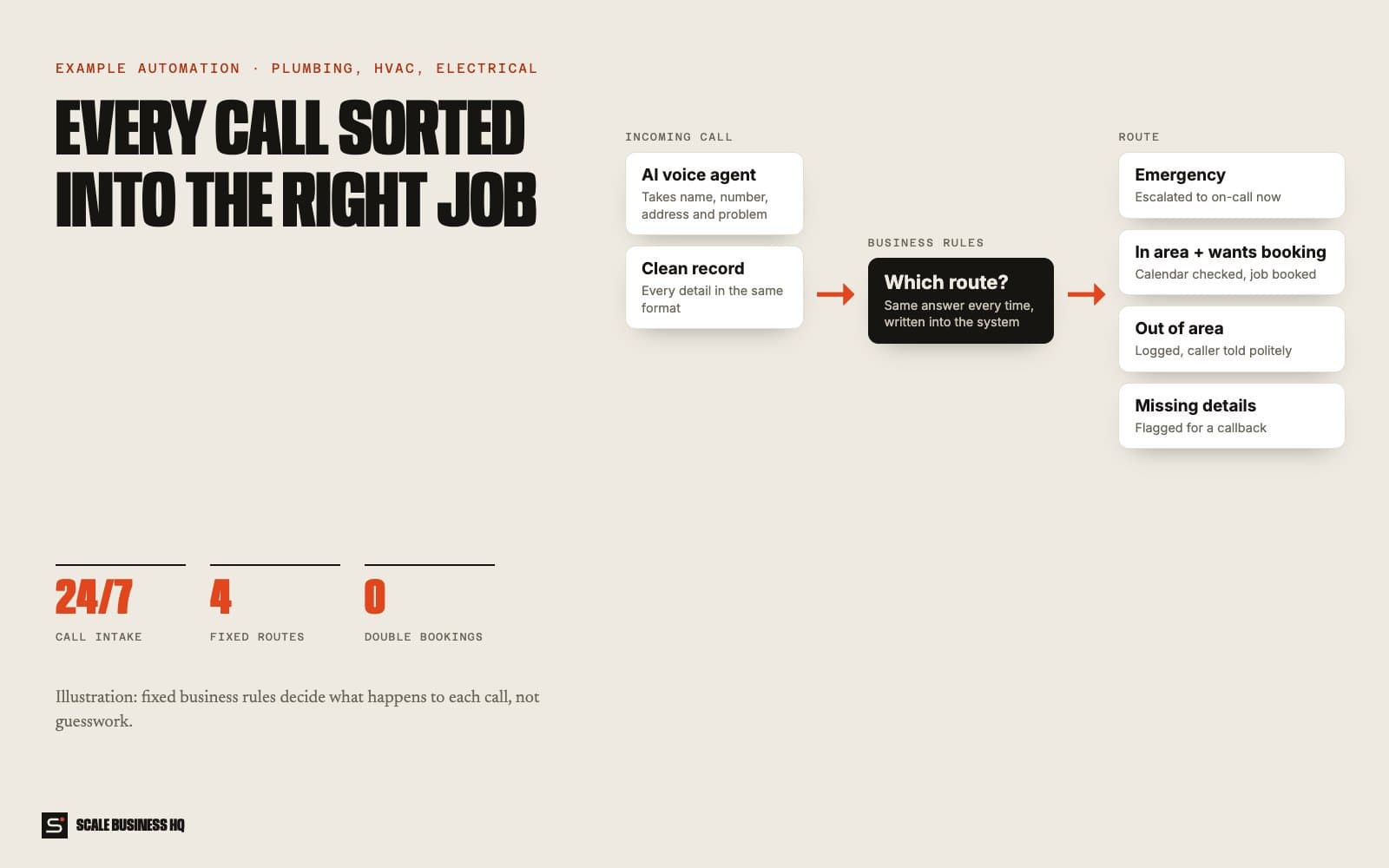
Dispatchers write down call details by hand, check the calendar, judge urgency and type it all into another system. Callback numbers and addresses go missing, a burst pipe can sit behind a routine enquiry, and double bookings happen.
- 24/7call intake
- 4fixed routes
- 1job list
- 0double bookings
02 — How it works, step by step
CustomerAISystemYour team
- 01Customer
A customer calls
Day or night, the call is answered by an AI voice agent instead of voicemail.
- 02AI
The agent takes every detail in the same format
Name, callback number, address, the problem and whether it's urgent. Every call produces the same complete record.
Call record- Caller
- Priya S.
- Number
- 07700 900321
- Address
- 8 Hill Street
- Problem
- Water coming through the kitchen ceiling
- Urgent
- Yes
- 03System
Fixed rules decide the route, not guesswork
Your rules, written into the system, sort every call the same way each time.
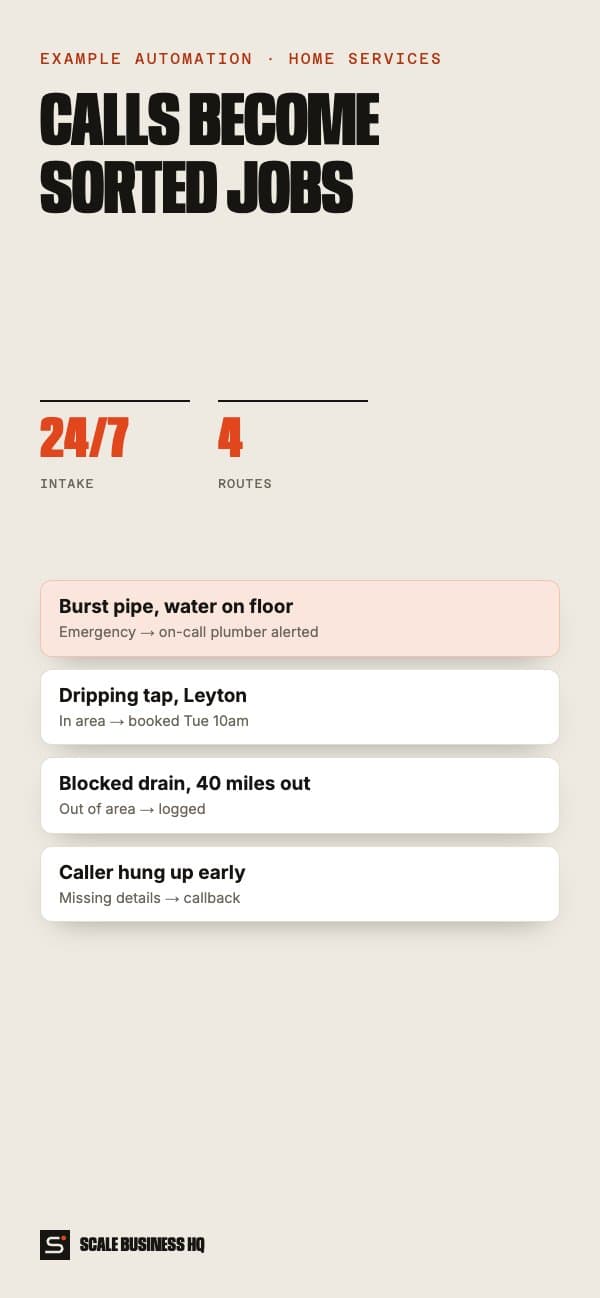
- EmergencyActive leak, gas, no heat in winter
- In area and wants a visitBook it
- Out of areaLog it, tell the caller kindly
- Details missingCreate a callback task
- 04Your team
Emergencies go to the on-call technician
Urgent jobs skip the queue and the on-call person is alerted with the details already taken.
- 05System
Bookings go straight into the calendar
For in-area visits it checks availability and creates the appointment. A repeat call about the same job never creates a second booking.
- 06Your team
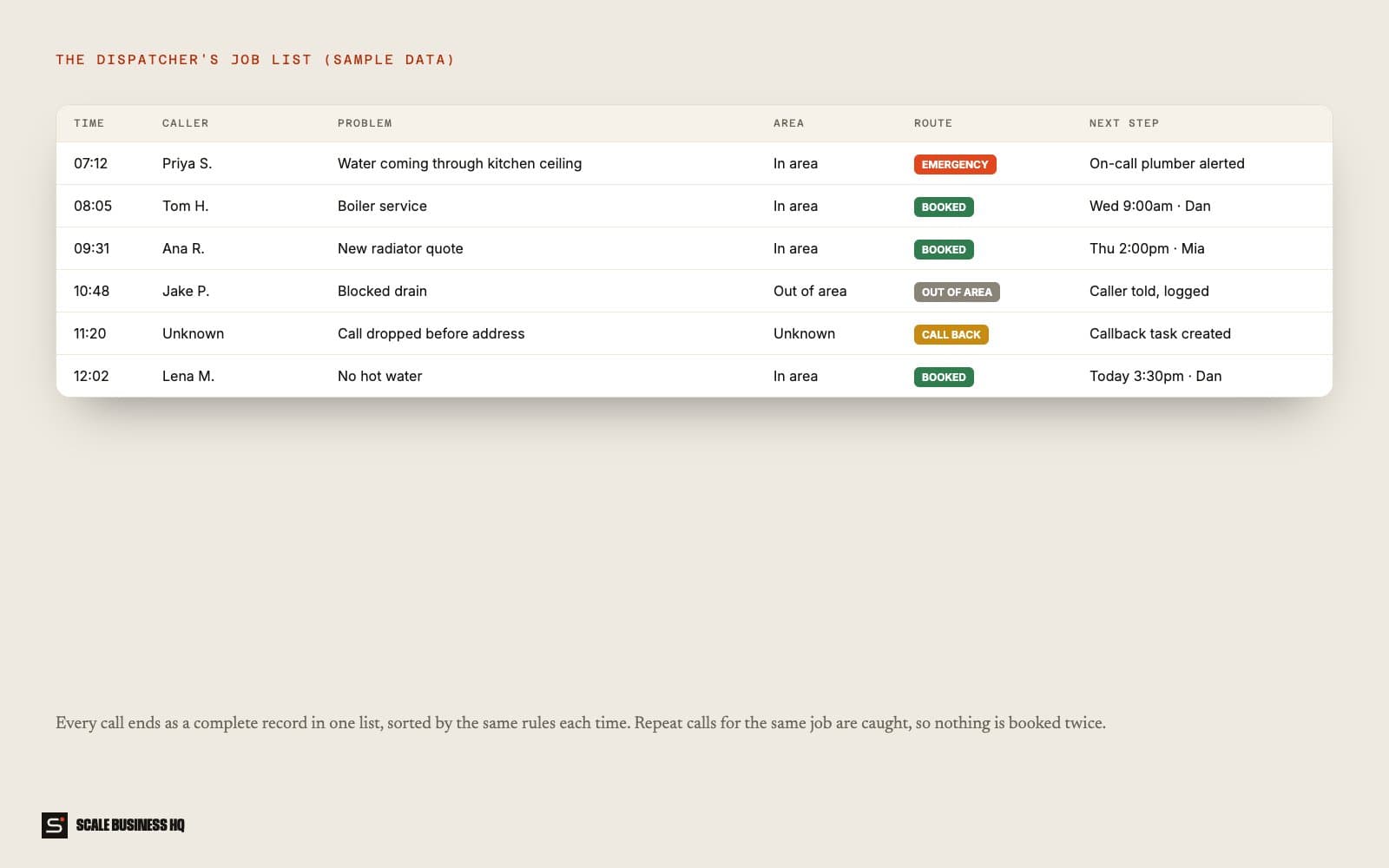
Everyone works from one list
Every call, customer and job sits in one database, so the office sees exactly what happened and what's next.
Names, messages and figures in these examples are fictional sample data.
03 — What it changes for your business
Complete details, every time
No more missing callback numbers or half-written addresses.
Urgent jobs never wait
Emergencies are recognised and escalated immediately.
Consistent decisions
Every caller is handled by the same rules, whoever is on shift.
No double bookings
Duplicate calls are caught before they become duplicate jobs.
04 — What you need
You provide
- Your service area by postcode
- What counts as an emergency
- Which jobs can be booked directly
Accounts we connect
- Your phone line
- Your calendar
- A database for calls and jobs
Decisions to make
- Who is on call and how they're alerted
- What out-of-area callers are told
- When a callback is needed
05 — How set-up works
- Day 1
Discovery call
We go through how you work today, what the automation should handle and what it must never do.
- Week 1
Build and connect
I write your routing rules into the system and connect the phone line, calendar and job list.
- Week 2
Test together
We call it with every type of job, including emergencies and out-of-area callers, and check each route.
- End of week 2
Go live
It goes live with real customers. I watch the first week closely and adjust the wording and rules.
06 — Questions owners ask
Will customers know it's automated?
They should, and it says so up front. People mostly care that they get a fast, accurate answer and can reach a person when they need one.
Why rules instead of letting the AI decide?
So decisions are predictable. The AI takes the details; your rules decide what happens. You can change a rule any time.
What if it gets something wrong?
It works from your own information, hands over anything it isn't sure about, and every conversation is logged so you can see exactly what was said and fix the rule.
What does it cost to run?
Running costs are the messaging and AI usage, usually a small monthly amount at a small business's volume. Set-up is a one-off cost. I give a fixed quote after the discovery call.

Want to see this working for your business?
Book a live walkthrough