A WhatsApp receptionist that books dental appointments by itself
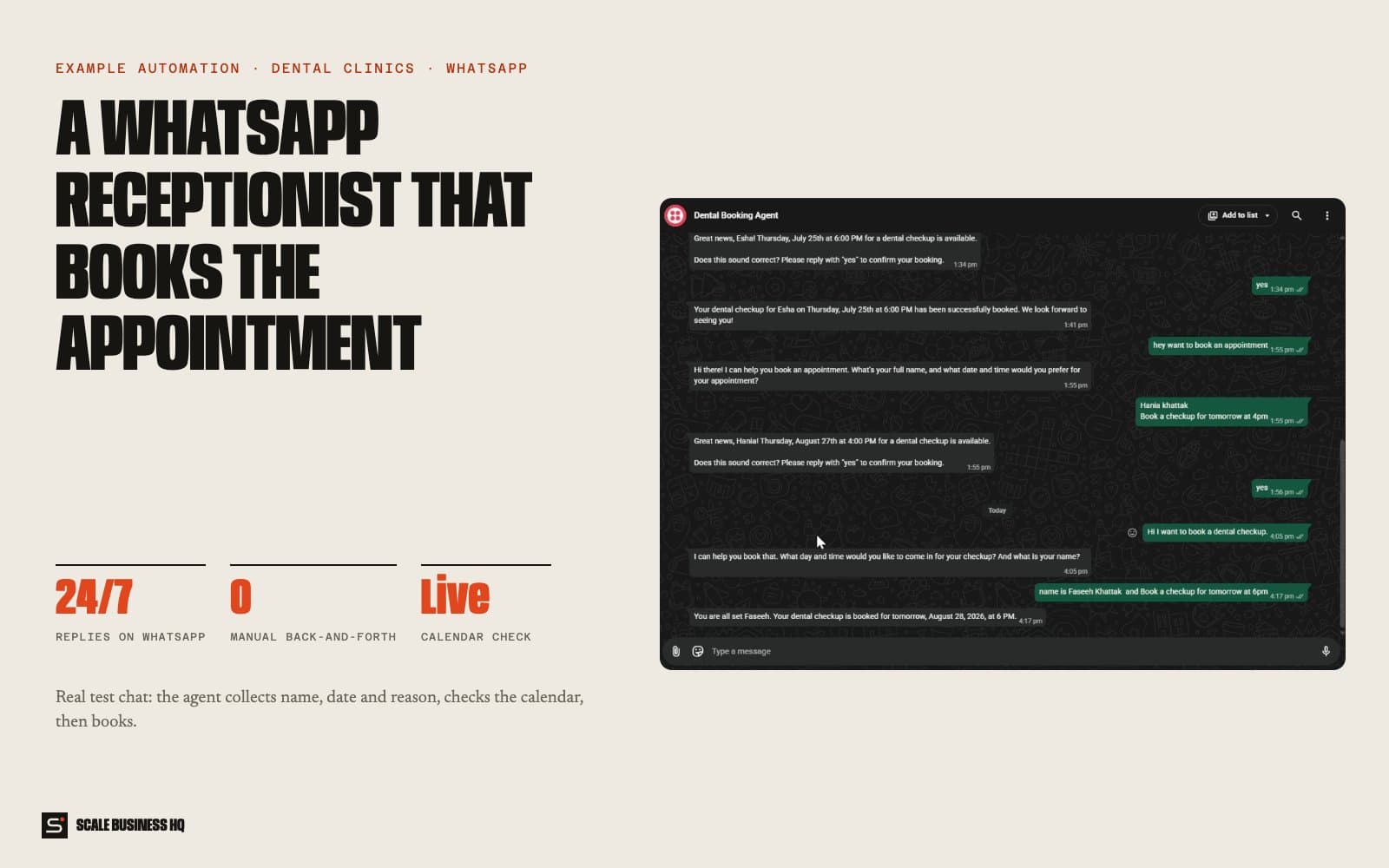
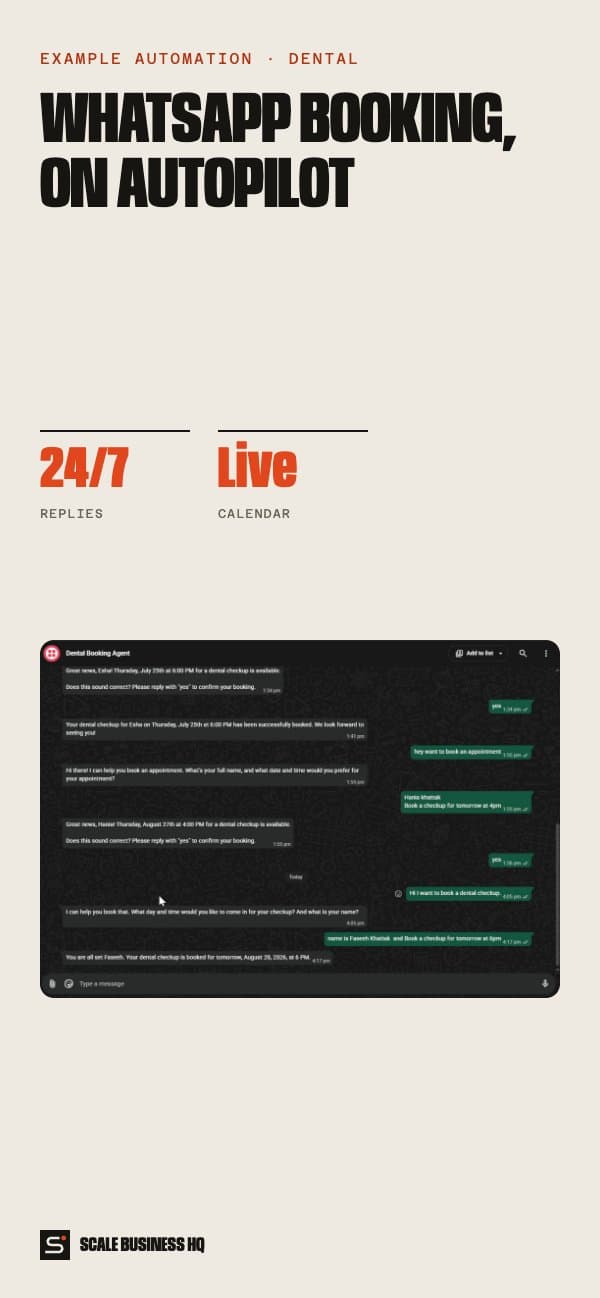
01 — The challenge
Patients prefer to message, but someone at the desk has to read every WhatsApp, check the diary, reply, wait, and book it by hand. Evenings and weekends, the messages just pile up, and some of those patients book elsewhere.
- 24/7WhatsApp replies
- Livecalendar check
- Yesrequired before booking
- 0back-and-forth for the desk
02 — How it works, step by step
CustomerAISystemYour team
- 01Customer
A patient sends a WhatsApp
They message the clinic's WhatsApp number the way they'd message a friend, often in the evening or at the weekend when nobody is at the desk.
Northside DentalWhatsApp · exampleHi, can I get a check-up this week?
- 02AI
The agent replies straight away and collects the details
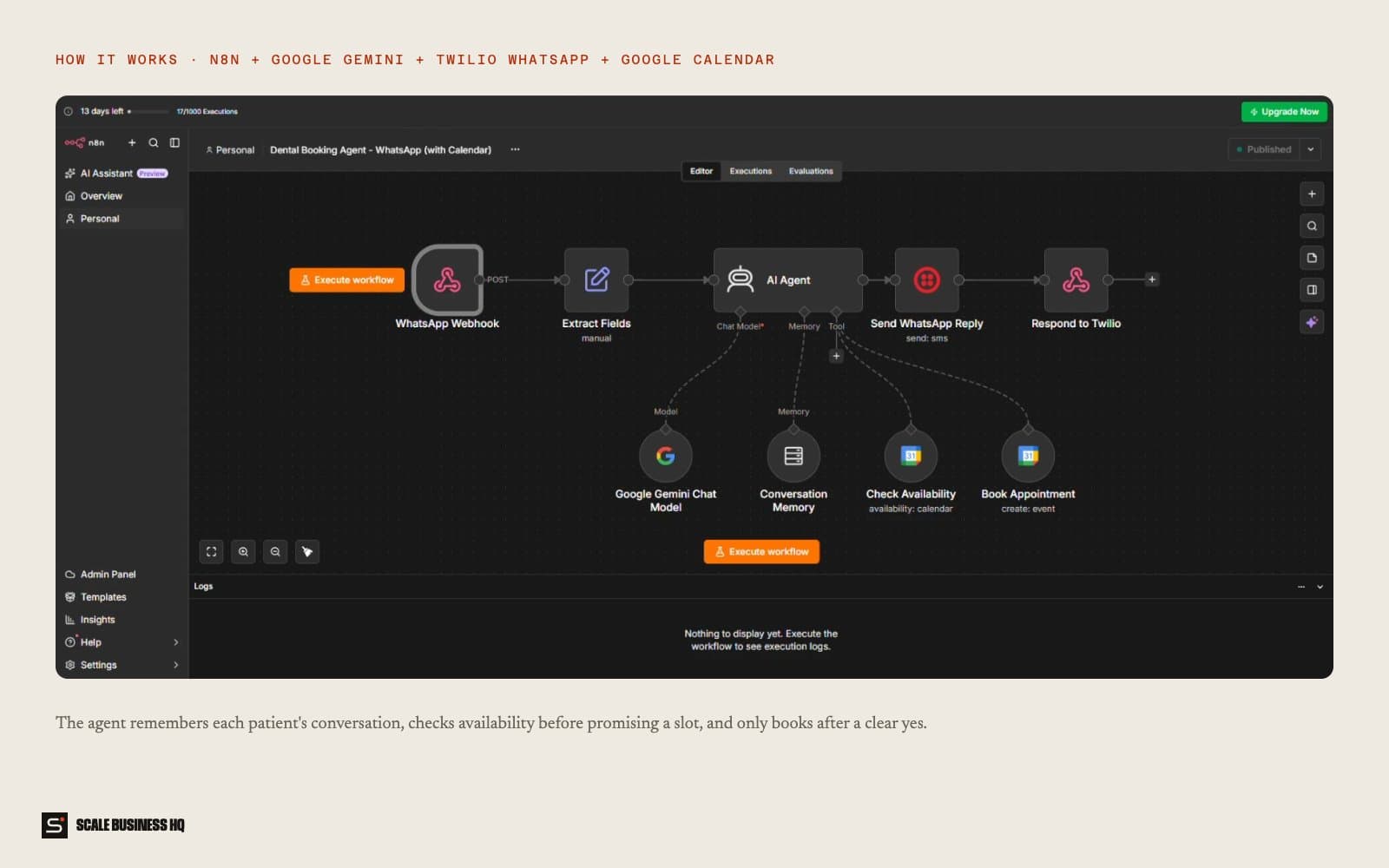
It asks for the patient's name, preferred day and time, and the reason for the visit. It remembers what they've already said, so it never asks twice.
Northside DentalWhatsApp · exampleOf course! Could I take your full name and the day and time that suits you best?
Fayeh Khattak, Thursday afternoon
Thanks Fayeh. Is this a routine check-up, or is something bothering you?
Just a check-up
- 03System
It checks the clinic's real calendar
Before offering anything, it looks at the clinic calendar so it never promises a slot that's already taken.
- 04AI
It reads the details back and waits for a yes
The agent confirms name, date, time and reason, and only books once the patient clearly agrees.
Northside DentalWhatsApp · exampleThursday 4:00pm is free. Shall I book a check-up for Fayeh Khattak then?
Yes please
Booked! See you Thursday at 4pm. Reply here if you need to change it.
- 05System
The appointment lands in the calendar
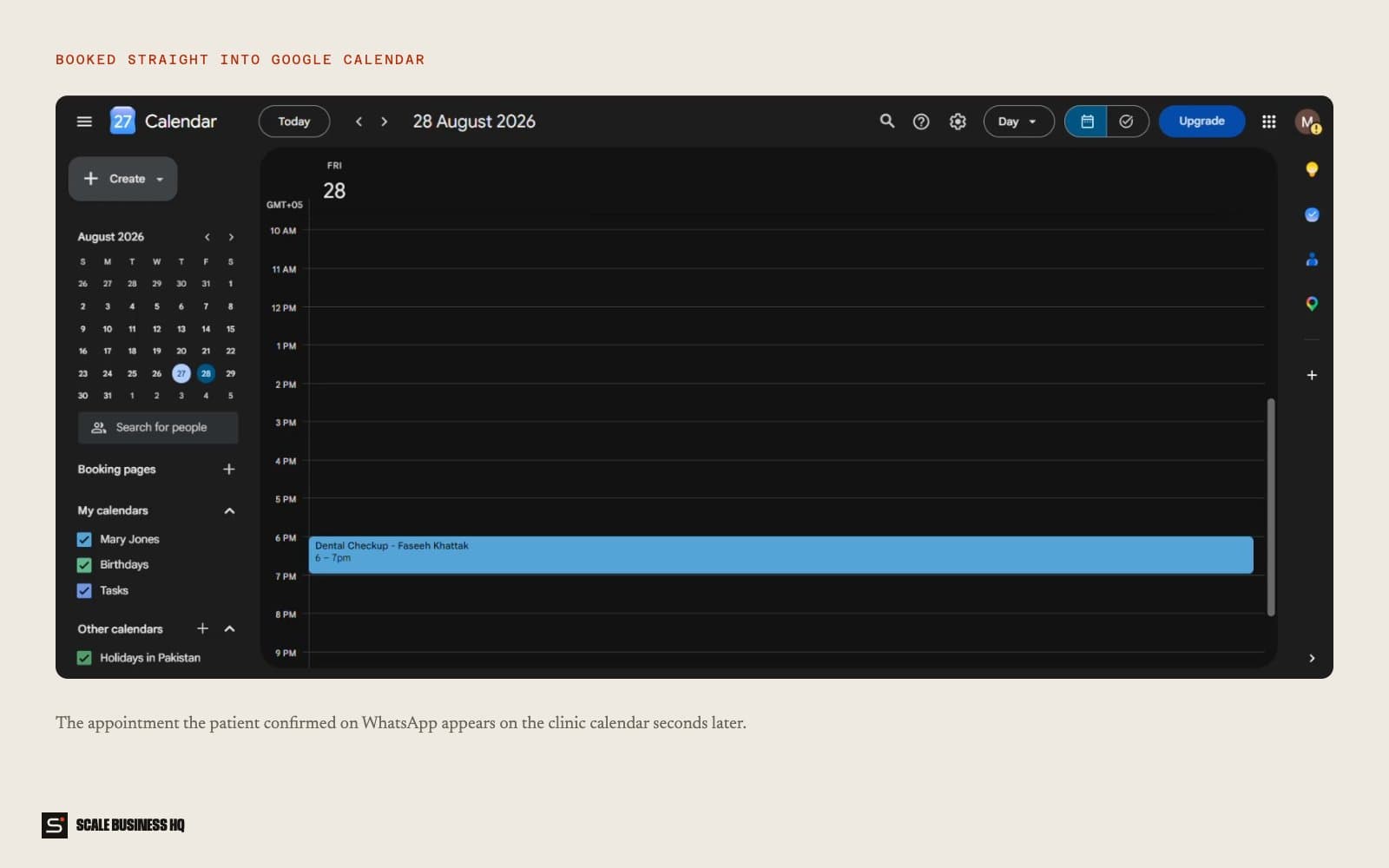
The booking appears in the clinic calendar seconds later, with the patient's details in the event. Nobody at the desk typed anything.
Calendar · Thursday- 4:00pm
- Dental check-up
- Patient
- Fayeh Khattak
- Booked via
- WhatsApp agent
- 06Your team
The team handles only what needs a person
Emergencies, complex treatment plans and anything clinical are handed to the team. The agent never gives clinical advice.
Names, messages and figures in these examples are fictional sample data.
03 — What it changes for your business
Bookings while you're closed
Evening and weekend messages turn into appointments instead of waiting until Monday.
A calmer front desk
The team stops juggling WhatsApp, the phone and patients at the counter.
No double bookings
Every slot is checked against the real calendar before it's offered.
Patients book the way they like
No app to download and no form to fill in, just a message.
04 — What you need
You provide
- Treatments it may book (for example check-ups and hygiene)
- Opening hours and appointment lengths
- What to say for emergencies
Accounts we connect
- WhatsApp Business number
- Your clinic calendar (Google or one that syncs)
- An AI account for the conversation
Decisions to make
- Which treatments need a person to book
- How it introduces itself
- Who gets handed over conversations
05 — How set-up works
- Day 1
Discovery call
We go through how you work today, what the automation should handle and what it must never do.
- Week 1
Build and connect
I connect your WhatsApp number and calendar and write the agent's script around your treatments.
- Week 2
Test together
Your team messages it like nervous patients would, at odd hours with awkward questions, and we fix what sounds wrong.
- End of week 2
Go live
It goes live with real customers. I watch the first week closely and adjust the wording and rules.
06 — Questions owners ask
Will customers know it's automated?
They should, and it says so up front. People mostly care that they get a fast, accurate answer and can reach a person when they need one.
Does it work with my practice software?
Often, yes. If your software has an API or syncs with Google or Outlook calendars, the agent can check and book into it.
Is patient data safe?
Data stays in accounts you control, access is limited, and the agent gives no clinical advice. We check the rules that apply where you practise.
What does it cost to run?
Running costs are the messaging and AI usage, usually a small monthly amount at a small business's volume. Set-up is a one-off cost. I give a fixed quote after the discovery call.
Want to see this working for your business?
Book a live walkthrough